

Android App Download Instructions
I. How to download the ME Pass App?
Method I: Download ME Pass via link
Please make sure to download the app through official channels. You can copy the link below into your browser to open it, then complete the download and installation.
Notes:
● If the download link does not open, try a different browser and switch networks, then try again.
● ME Pass will periodically update the download link to ensure user security. If the official link becomes unusable, you can contact official customer support to obtain a new download link.
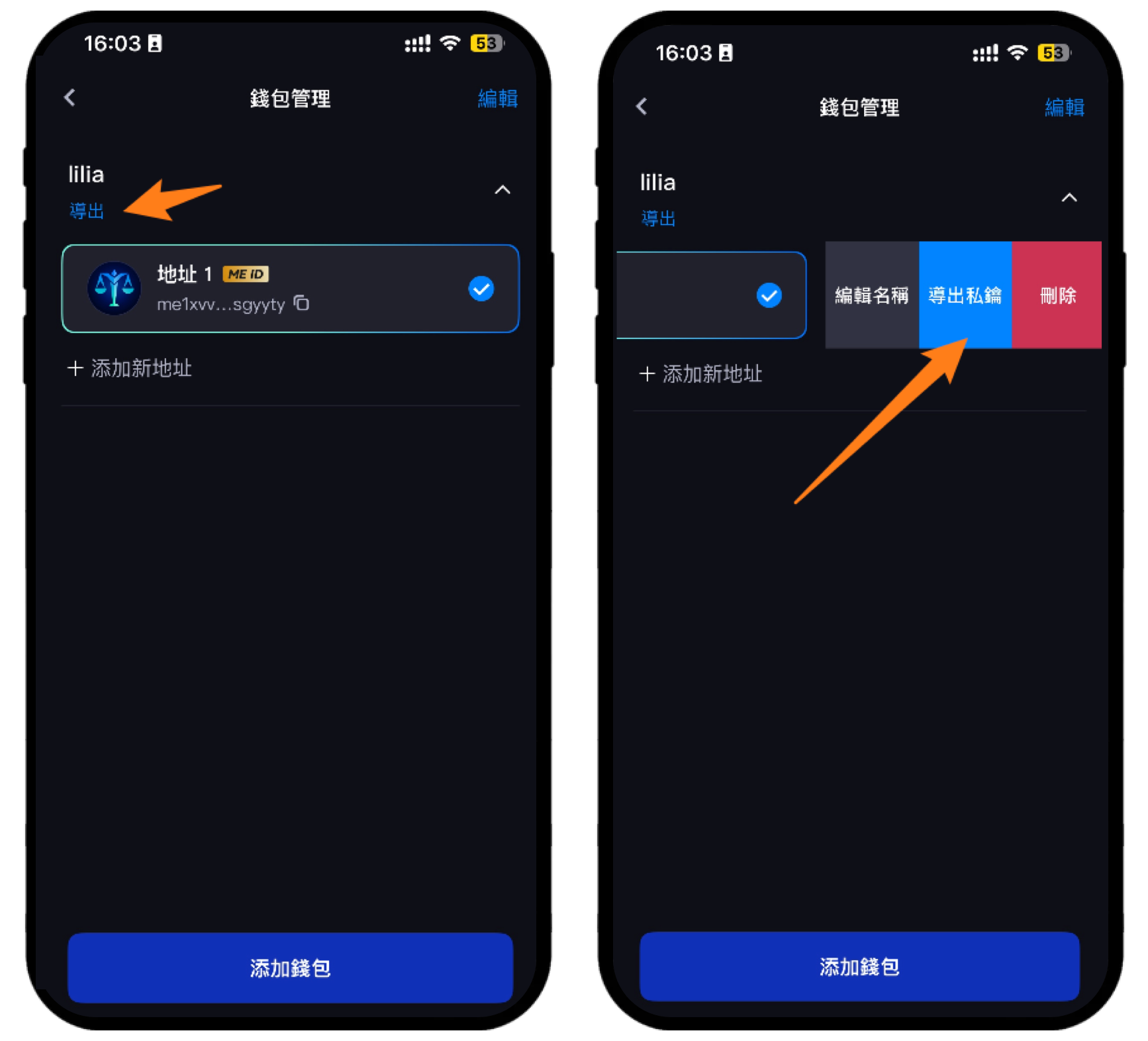
● Friendly reminder: If you have created a wallet, please back up your wallet’s mnemonic phrase and the private key of the address properly before updating or uninstalling the app. If they are lost, the assets in the wallet cannot be recovered. In the ME Pass Wallet home screen, tap your avatar → right sidebar → the first card packicon in the lower-left corner to enter. Under the wallet name on the left, tap [Export mnemonic phrase], or swipe the wallet to the left → Export private key address to back up.
Method II: Scan the official website QR code to download ME Pass
Open the ME Pass official website → tap the Install icon in the upper-right corner → you can choose to scan the QR code with your phone to download (we recommend using a browser to scan), or go to Google Play to download: https://play.google.com/store/apps/details?id=com.xd.metapass
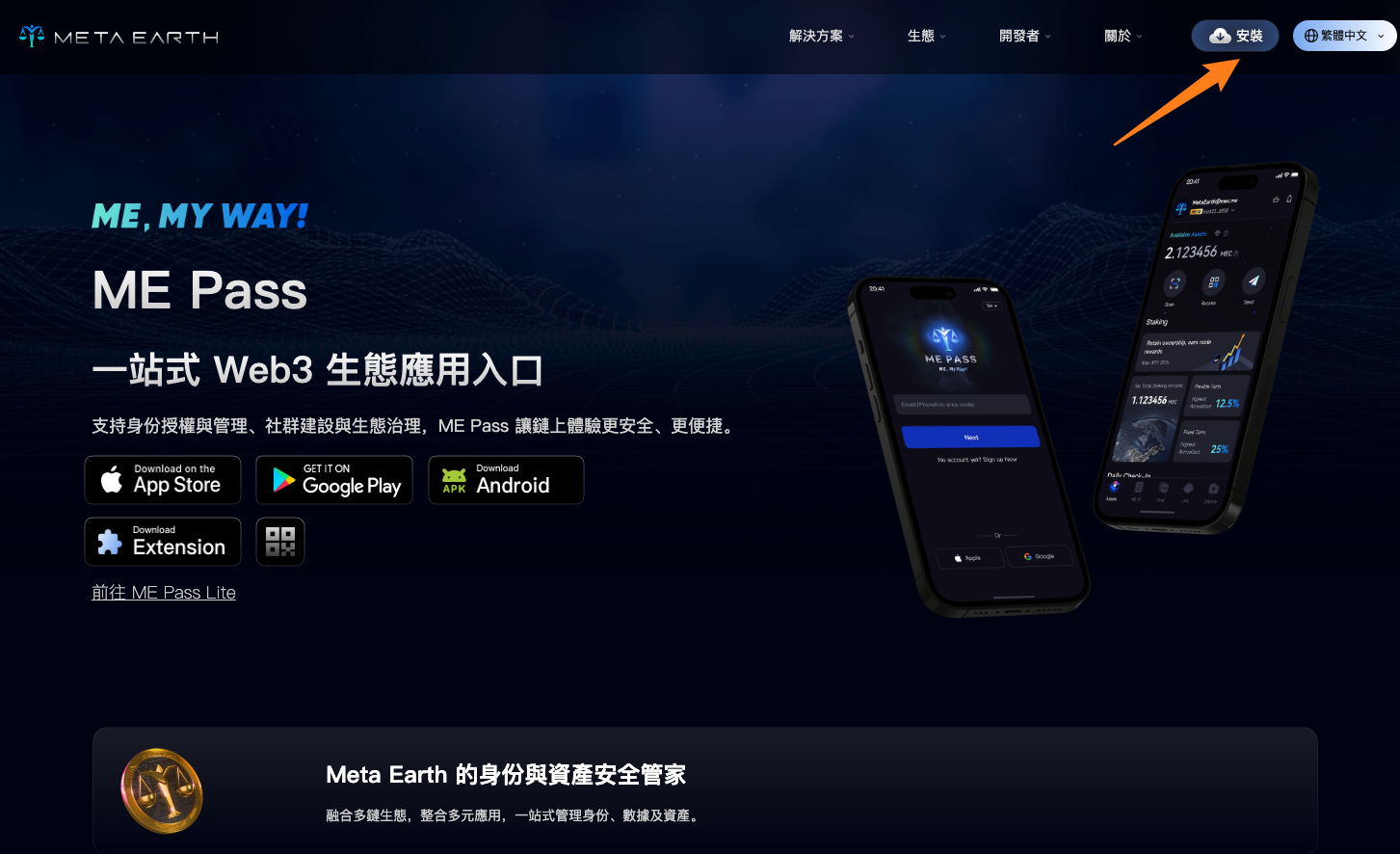
Tap [Local Download] → [Standard Download] or [Google Play Download], then follow the prompts to complete the download and installation.
Friendly reminder
● Download paths and steps may vary by Android brand/model. Please follow the on-screen prompts to complete the download and installation.
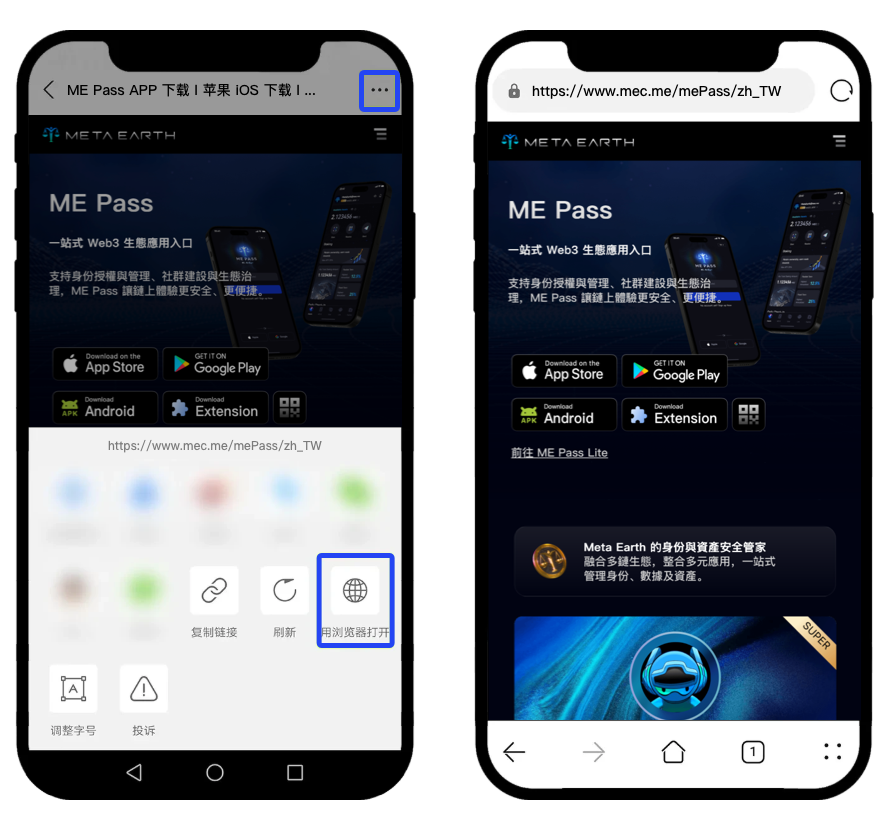
● If you did not scan with a mobile browser, you may need to tap the icon in the upper-right corner, choose [Open in Browser], then tap [Local Download] → [Download], and follow the instructions to complete the download and installation.
II. What if I cannot install after downloading?
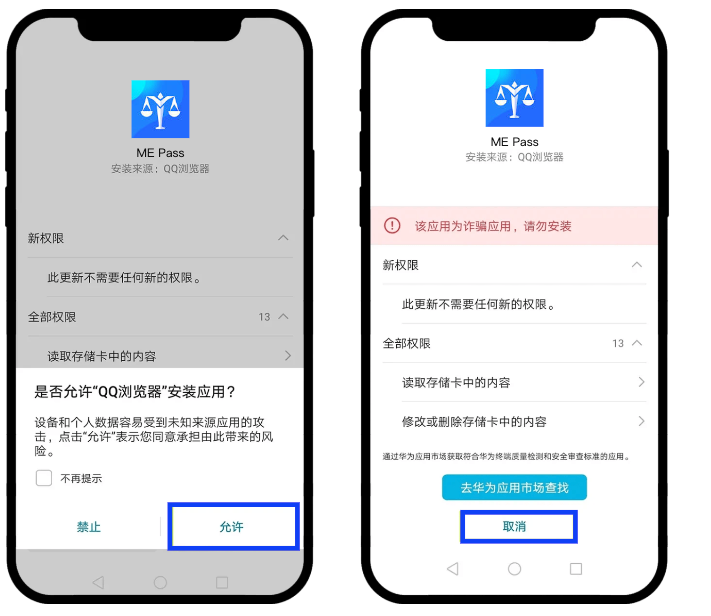
Some Android phones may show prompts such as “Security risk” or “Virus risk” after the ME Pass APK is downloaded, preventing installation. You can follow the steps below to complete installation.
Tap Allow to continue installation, do not move the app into management/control, and follow the prompts to finish installation.
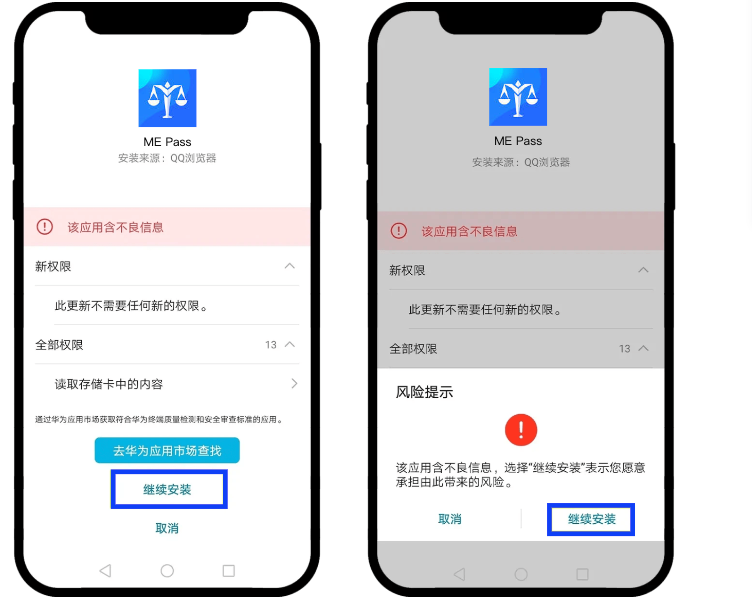
Huawei (HarmonyOS version)
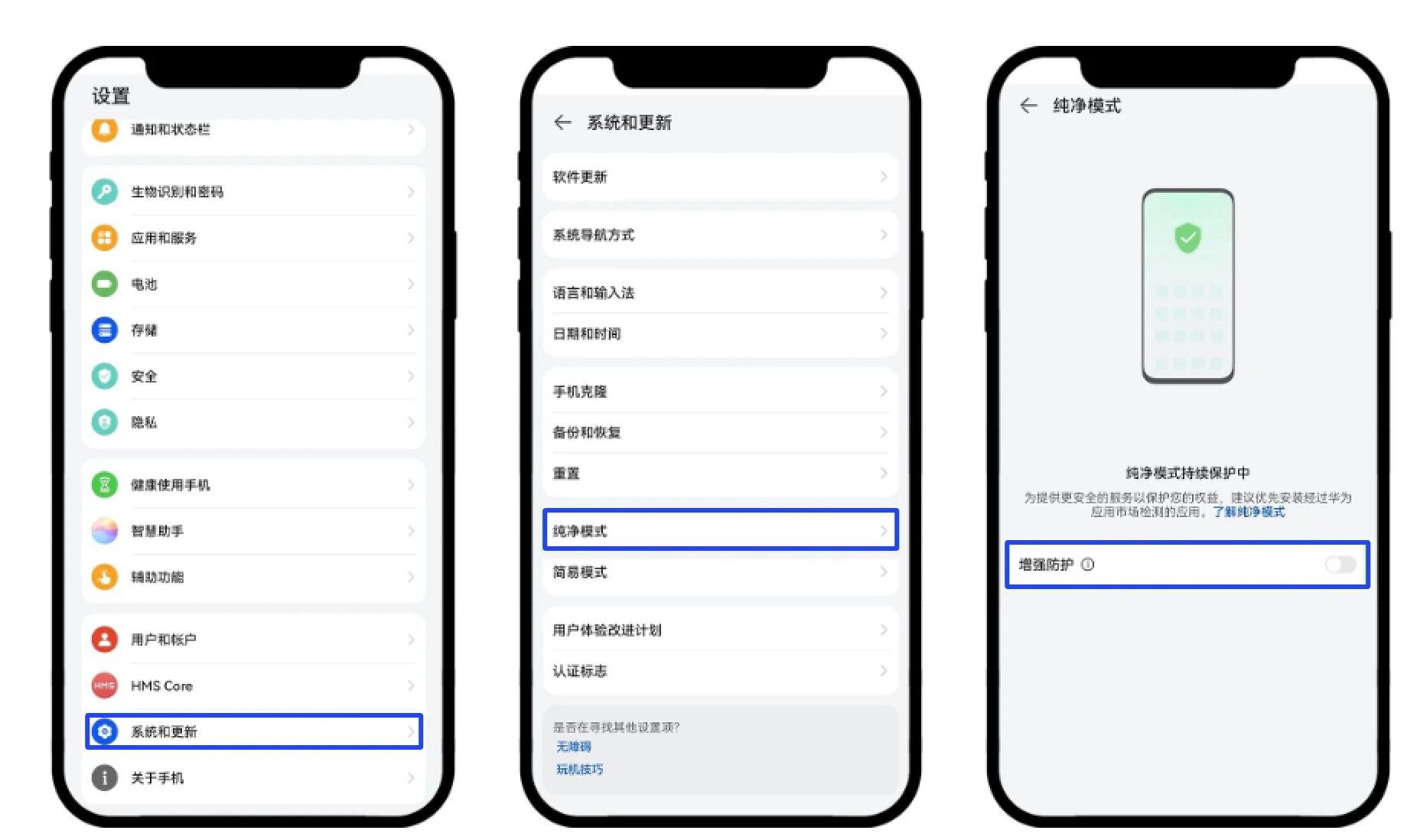
Exit Pure Mode and turn off External Source App Check:
1. Home screen → Settings → System & updates → Pure Mode, turn off Enhanced protection.
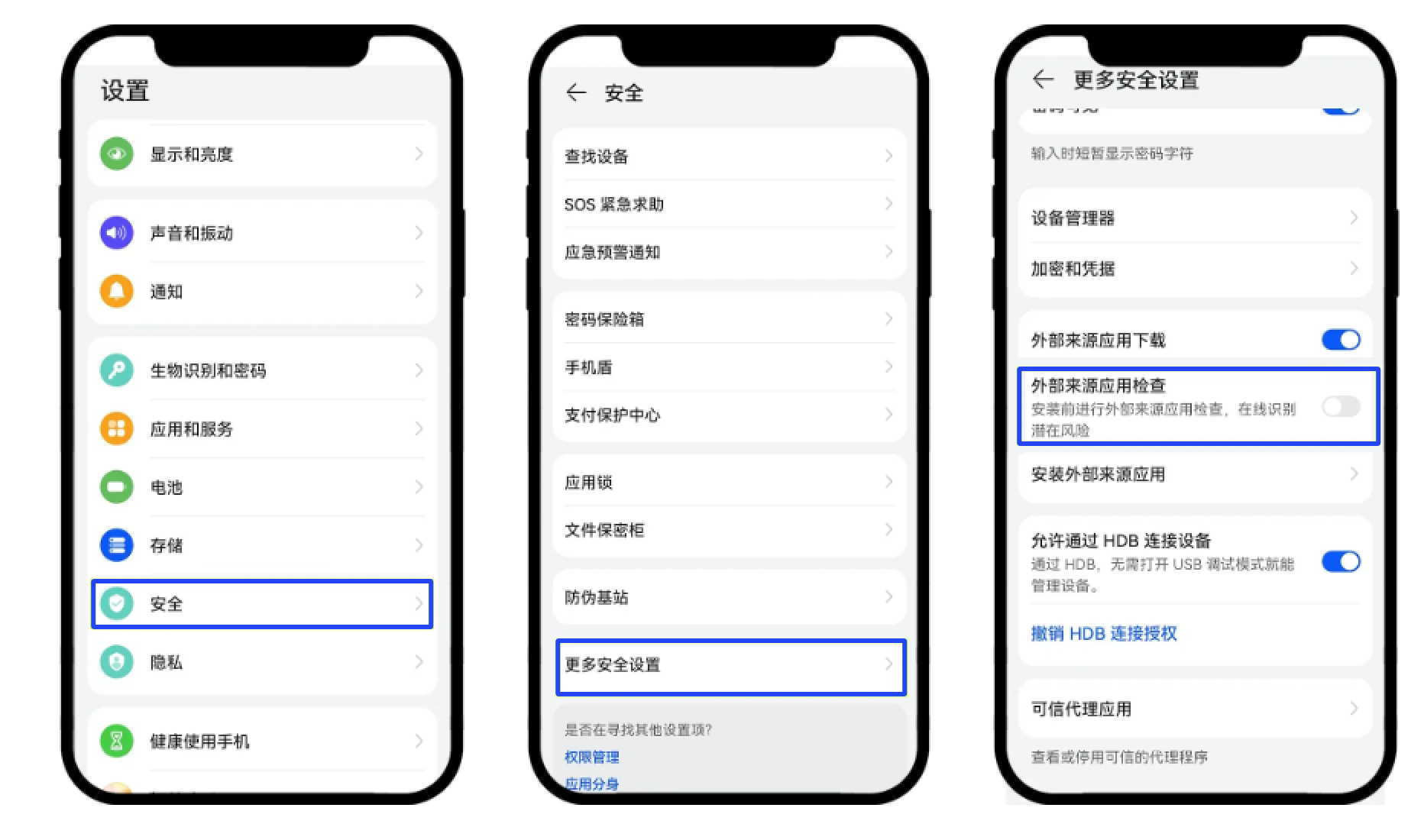
2. Settings → Security → More security settings → turn off External source app check.
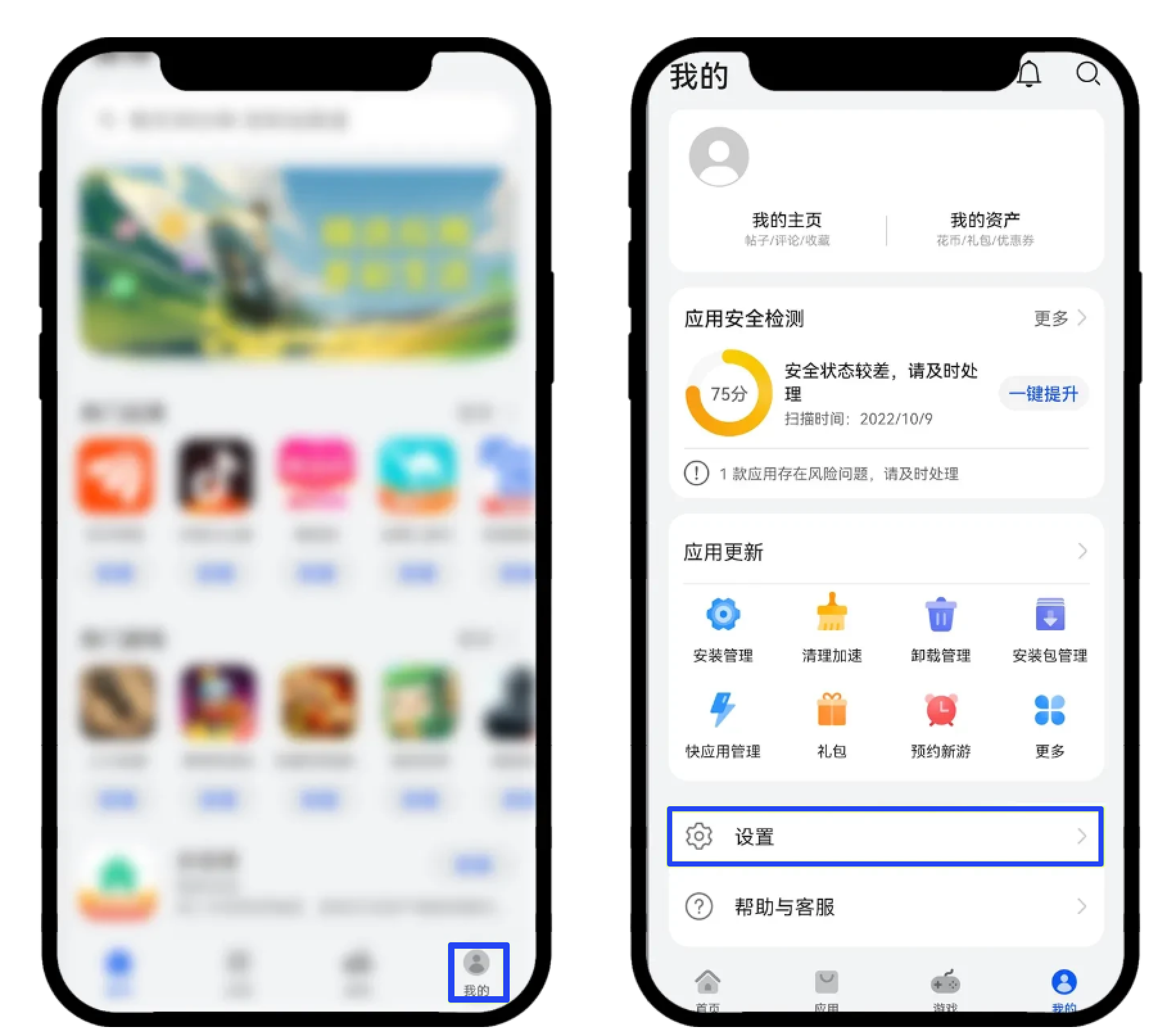
Friendly reminder
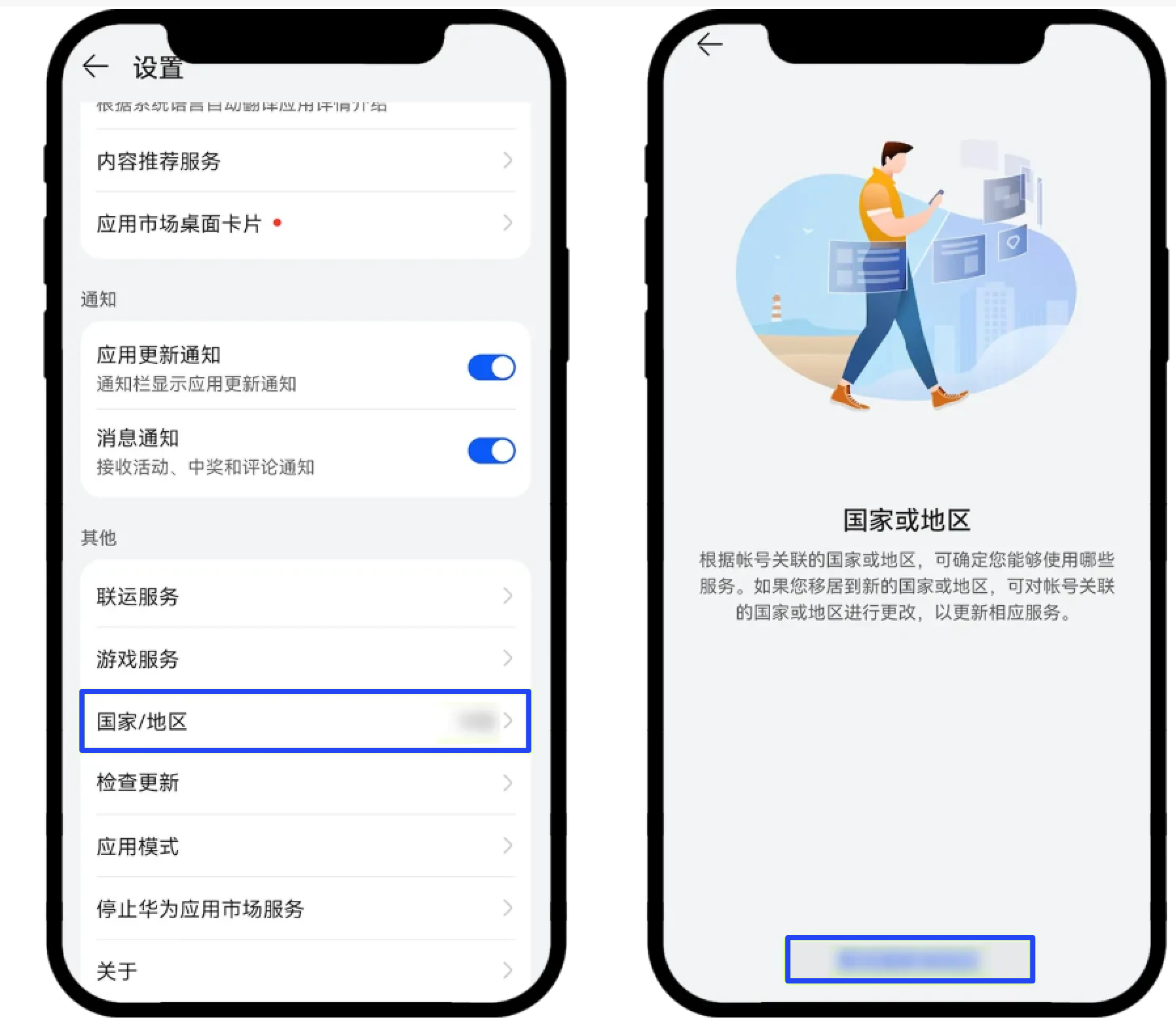
If Pure Mode cannot be turned off, go to AppGallery → Me → Settings → check Country/Region and try selecting the appropriate country/region.
Note that in some countries/regions, ME Pass may not be available for download from AppGallery.
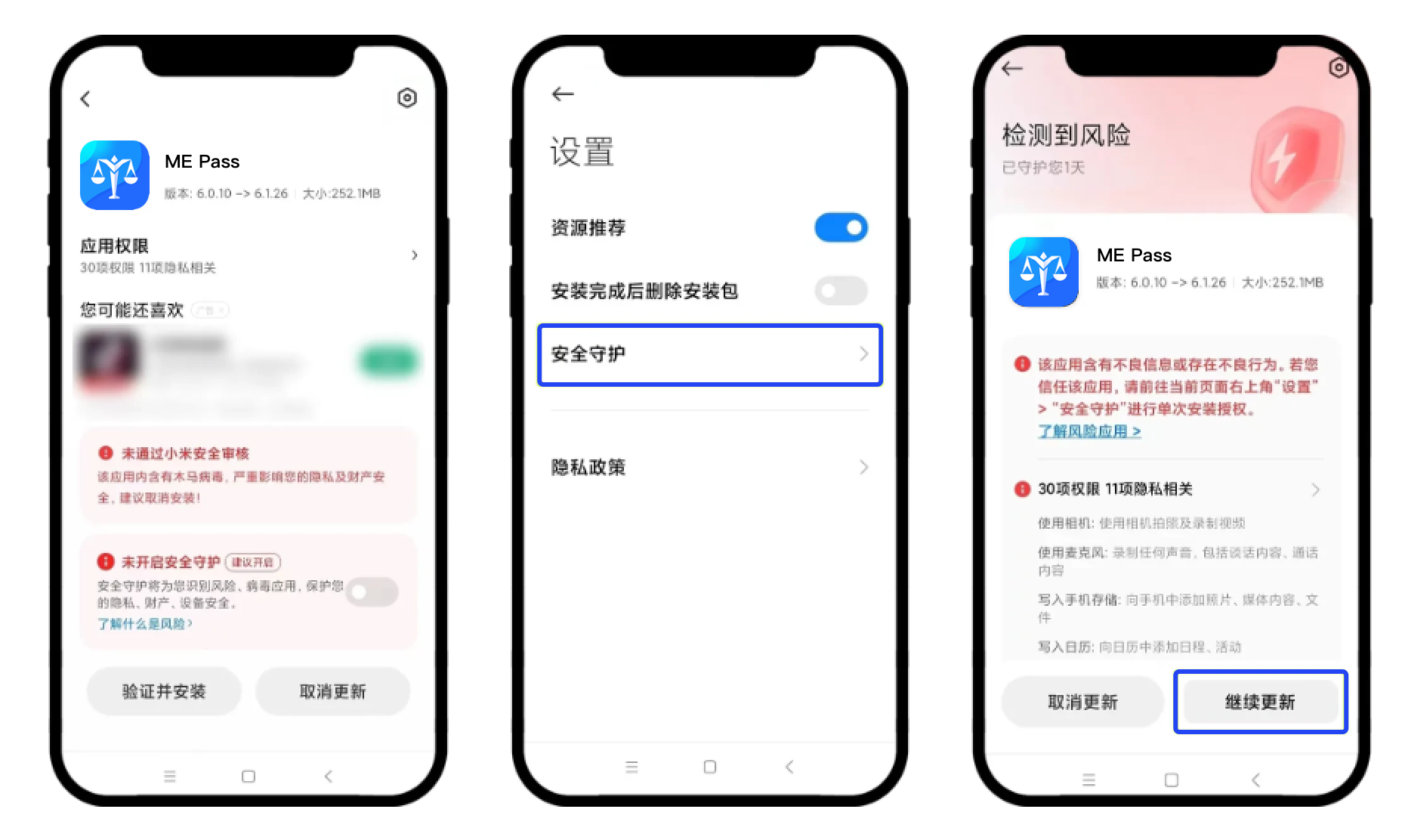
Xiaomi
On the installation page, tap the settings icon in the upper-right corner → turn on Security Guard, then go back and follow the prompts to complete installation.
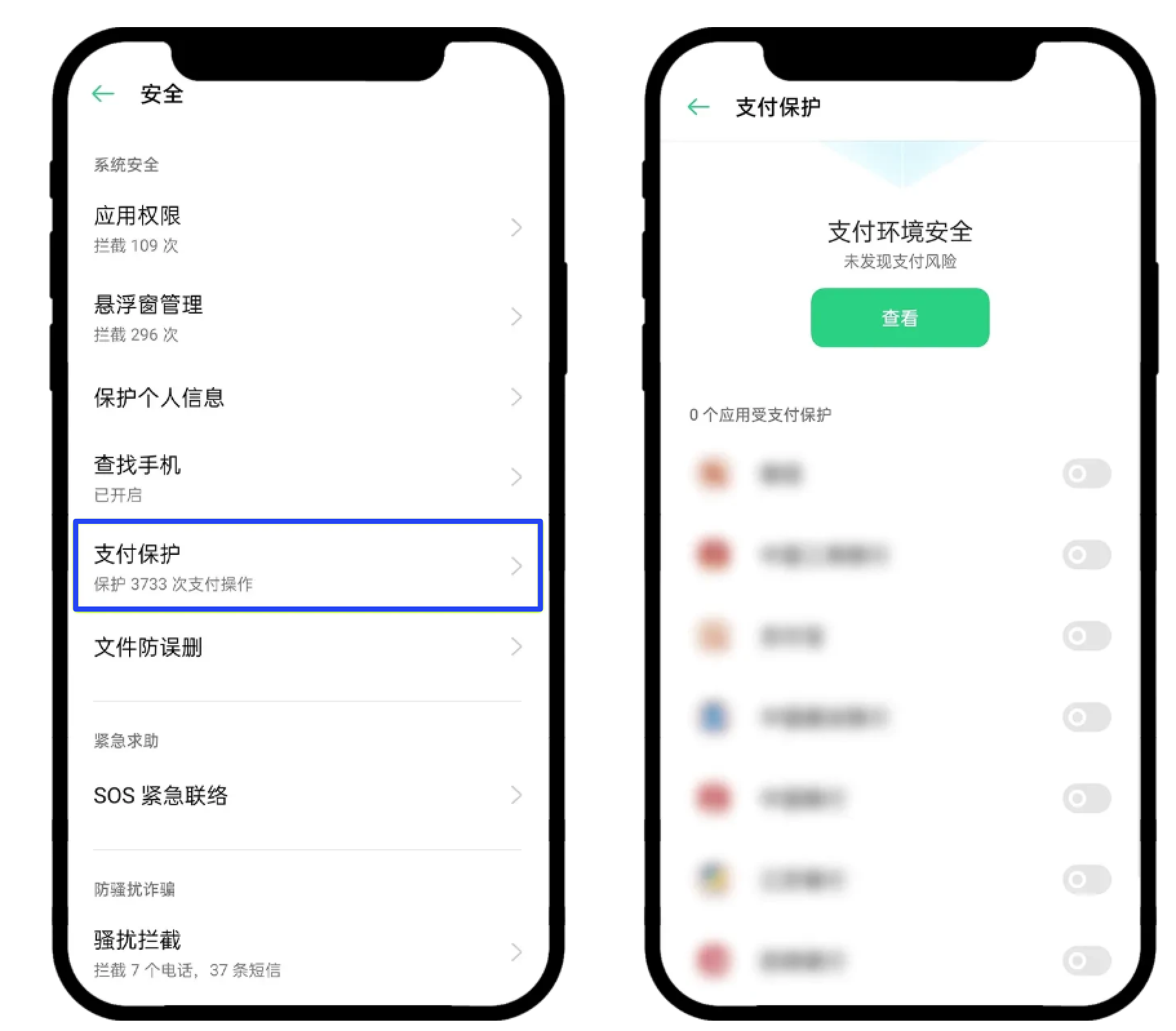
OPPO
Protection → turn off protection for all apps. After you have successfully downloaded and installed the ME Pass App, turn protection back on.
China Telecom network
When using the China Telecom network, you can enable Airplane mode and use Wi-Fi to complete the download and installation of ME Pass.
Other methods
For other Android brands/types, you can try the following to install ME Pass:
● Turn off mobile data and Bluetooth. Use the Quark browser or your phone’s built-in browser to download and install. In Settings, switch the antivirus to 360, etc.
● Settings → Apps & notifications → Permission management → Security & privacy → App lock → Trust this app, then log in; the “risk” prompt should no longer appear.
● After the ME Pass APK is downloaded, turn off all mobile data, then install.
Friendly reminder
● If you have already installed the app, please update to the latest version in a timely manner. Updating requires that your device can access Google services.
● For how to update the platform app, please refer to:
● If you encounter any issues during the download process, you can contact us for help.
Disclaimer
This article/blog/announcement is for reference only. It is not intended to provide (i) investment advice or investment recommendations; (ii) an offer or solicitation to buy, sell, or hold digital assets; or (iii) financial, accounting, legal, or tax advice. Holding digital assets (including stablecoins and NFTs) involves high risk and may be subject to significant volatility. You should carefully consider, in light of your financial situation, whether trading or holding digital assets is suitable for you. For your specific situation, please consult your legal/tax/investment professionals. You are solely responsible for understanding and complying with the applicable laws and regulations in your locality.

